Fexrulanto
Trail Layout
Trail Layout
Couldn't load pickup availability
1. Problem Statement
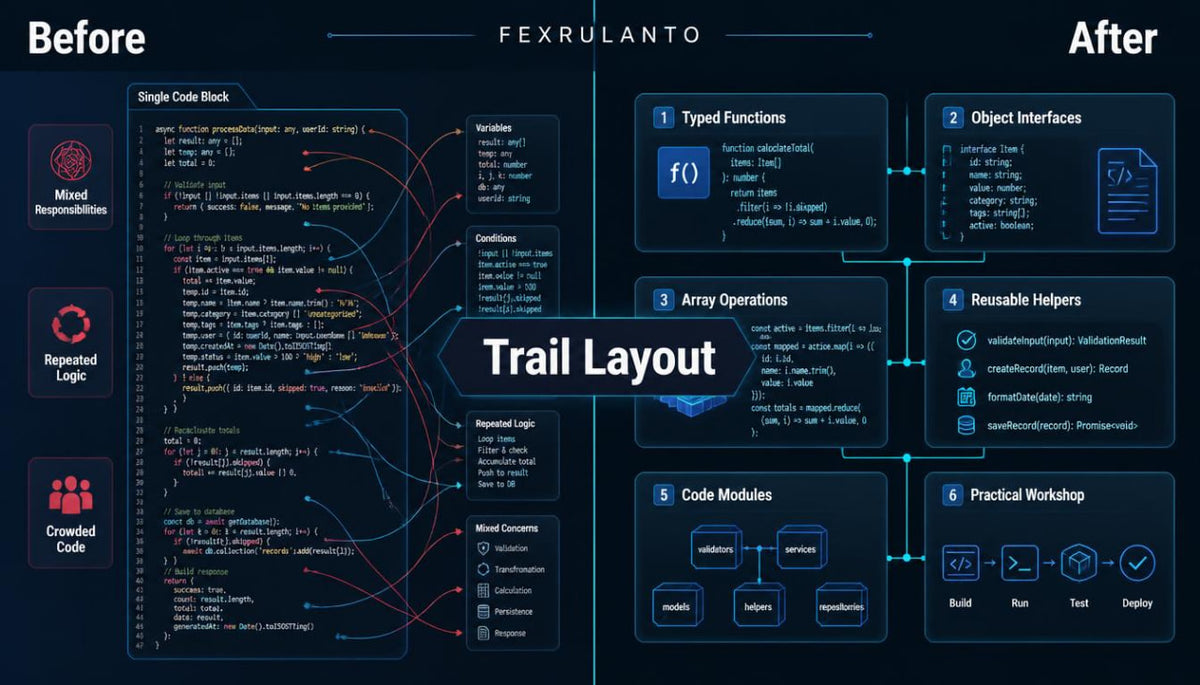
Once introductory syntax becomes familiar, learners may find it difficult to organize several related pieces of code. Variables and functions can begin to overlap without a clear division of responsibilities. Repeated logic may create confusion when the same behavior appears in different places. Inconsistent data shapes can make errors harder to identify during a project. These challenges highlight the value of planning code structure before adding further complexity.
2. Solution
Trail Layout introduces practical methods for organizing typed code into smaller, understandable sections. The course explains how function signatures can communicate expected inputs and returned values. It examines object definitions and interfaces as ways to describe related information. Guided tasks demonstrate how to separate responsibilities while keeping code relationships visible. Each module combines explanation, review questions, and applied exercises centered on a coherent example.
3. What's Inside
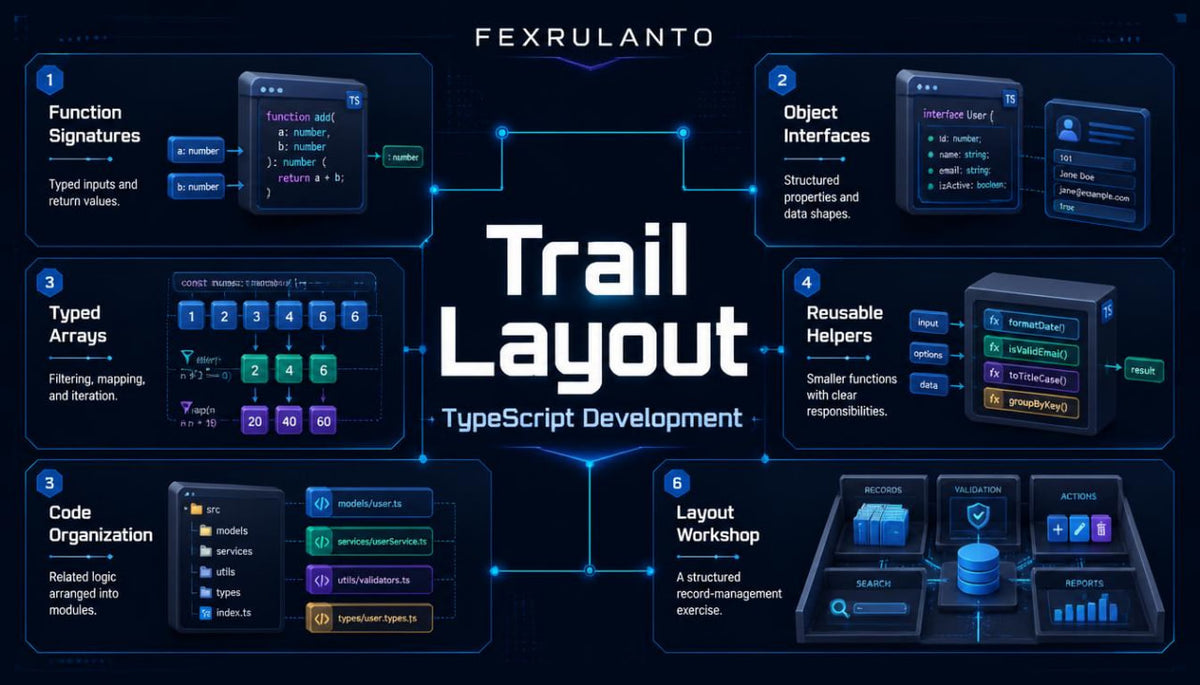
Module 1 — From Statements to Structure
Explore the difference between isolated commands and coordinated workflows. Follow a data-processing example to see how naming, grouping, and sequence affect readability.
Module 2 — Function Design and Type Signatures
Study parameters, return annotations, optional inputs, and default values. Compare functions with single responsibilities against examples that combine unrelated tasks, then revise cases.
Module 3 — Objects With Clear Boundaries
Examine object properties, optional fields, nested structures, and interfaces. Practice describing a collection of related records without mixing their intended roles.
Module 4 — Arrays and Data Movement
Work with typed arrays, iteration, filtering, and mapping. Trace how information moves from a record collection through a sequence of operations.
Module 5 — Breaking Logic Into Parts
Explore reusable helper functions, naming conventions, and file organization. Follow a guided revision that divides one long example into smaller sections.
Module 6 — Applied Layout Workshop
Build a record-management exercise using typed objects, functions, and arrays. Review its structure with a checklist covering readability, input definitions, and repeated logic.
4. Who Is This For?
Trail Layout is intended for learners who understand basic variables, conditions, and functions and want a deeper view of code organization. It also suits independent learners returning to TypeScript fundamentals after time away. Exercises can be completed in sequence or revisited for additional review.
5. What You'll Learn
-
Define typed function inputs and outputs.
-
Describe records using interfaces and properties.
-
Work with optional and nested object fields.
-
Organize array operations into readable steps.
-
Identify repeated logic across related functions.
-
Separate code sections by responsibility.
-
Trace values through a simple processing workflow.
-
Review small projects for structural clarity.
6. Guarantee
We offer a 30-day money-back guarantee on all paid digital courses and educational materials available through our store.
If you are not satisfied with your purchase, you may request a full refund within 30 calendar days of the original purchase date.
As our courses are delivered digitally, there is no need to return any physical items. Receiving, downloading, or opening the course materials does not affect your eligibility for a refund under this policy.
Refunds will be issued to the original payment method. Processing times may vary depending on your bank or payment provider.
Our 30-day money-back guarantee is provided in addition to your rights under applicable consumer protection laws and does not limit those rights.
Self-paced learning overview
- 📦 Digital file available after purchase
- 🔄 Long-term availability
- 🛡️ Secure checkout
- 🔄 Content updated in 2026
Share